

Data security doesn't begin with dual card slots and end at not wiping your SD cards until after the client gallery is delivered. Those are good habits, but they're the first few inches of a much longer road, and too many photographers treat them as the whole journey.
Don't get me wrong: I hear photographers talk about dual card slot cameras all the time, and honestly, that's a great thing. Writing every frame to two cards at once is one of the smartest safeguards you can have on a wedding day. If one card fails mid-reception, you haven't lost the first dance.
But here's where I see people stop: they treat that dual-slot camera, plus a copy on their laptop and maybe the original SD card, as their entire backup plan. And that's not a backup strategy. That's three copies of your data sitting in the same bag, in the same apartment, exposed to the exact same disaster.
The rule worth memorizing: 3-2-1
The industry shorthand for a real backup plan is the 3-2-1 rule, and it's simple enough to tattoo on the inside of your camera bag:
- 3 copies of your data.
- 2 different types of storage media.
- 1 copy kept offsite — physically somewhere else entirely.
That last one is the piece almost everyone skips, and it's the most important. A laptop copy and an external SD card copy might technically be "two copies," but if they live in the same room, one bad day wipes out both.
Let me tell you why offsite matters
When I moved into my new apartment complex, I learned that several units had flooded randomly, with no real explanation, thanks to shoddy plumbing probably. No warning, no pattern, just water coming in and ruining whatever was on the floor.
Sit with that for a second as a photographer. A flood like that doesn't care how careful you were. It can take out your computer and your external hard drives and your NAS in one afternoon, because they're all plugged in within a few feet of each other. Every "copy" you made is gone at once. Fire, a burst pipe, an electrical storm frying everything on the circuit gives the same result. That is precisely why an offsite, trusted copy isn't optional. It's the whole point.
And this is bigger than protecting your own hard work. We owe it to our clients. They trusted us with the single biggest day of their lives, a day that will never happen again and preserving those images is part of the job we signed up for. A couple should never lose their wedding photos because their photographer kept every copy in one room. When someone hands you that responsibility, guarding it properly is the least we can do.
Offsite options (and why they don't all fit)
The obvious offsite answer is cloud storage but the obvious answer isn't the only one, and for a lot of us the monthly cost of keeping many terabytes in the cloud is genuinely painful. So it's worth knowing the alternatives:
- The buddy NAS swap. You and a trusted friend each host a NAS, and you each carve out a partition on the other person's box. Your offsite backup lives at their place, theirs lives at yours. It's clever and nearly free once the hardware exists but it depends on a friend with the space, the bandwidth, and the reliability to keep it running.
- A NAS at your workplace. Same idea, different location. But this runs into IT policies, network constraints, and a dozen other real-world limitations that can make it a non-starter.
Both are legitimate. Neither works for everyone. After weighing all of it, I landed on a setup that's paranoid, cost-effective, and I'll admit a little over the top.
My setup, piece by piece
Copy 1: The SSD in my computer
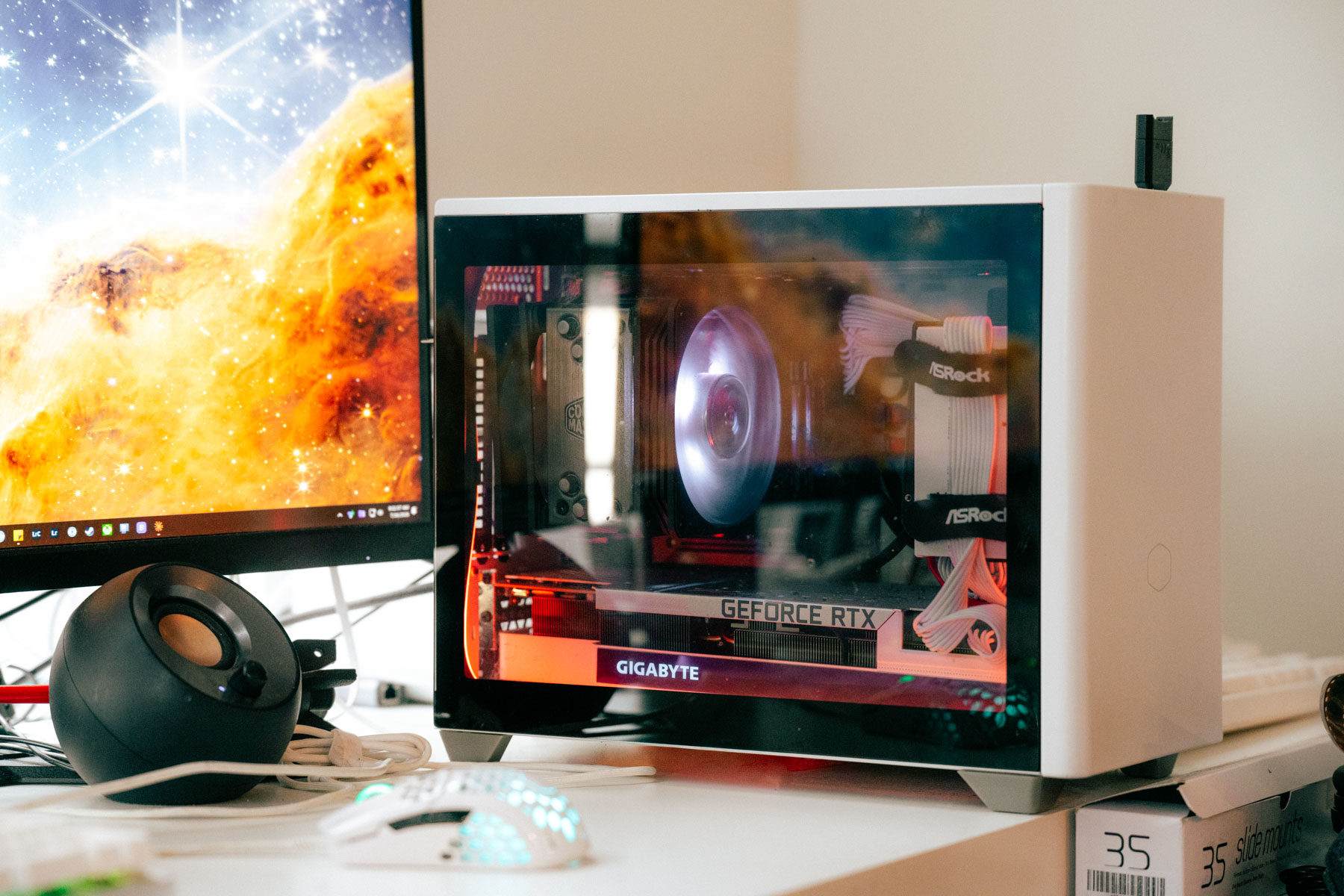
Everything starts on an 8TB SSD inside my PC. It holds my entire RAW photo library going back to 2015, plus all of my finished video projects. It's fast, it's local, and it's where I actually work but as a "backup," a single drive in a single machine is exactly the trap I warned about above. So it's just copy one.
Copy 2: A NAS on my network
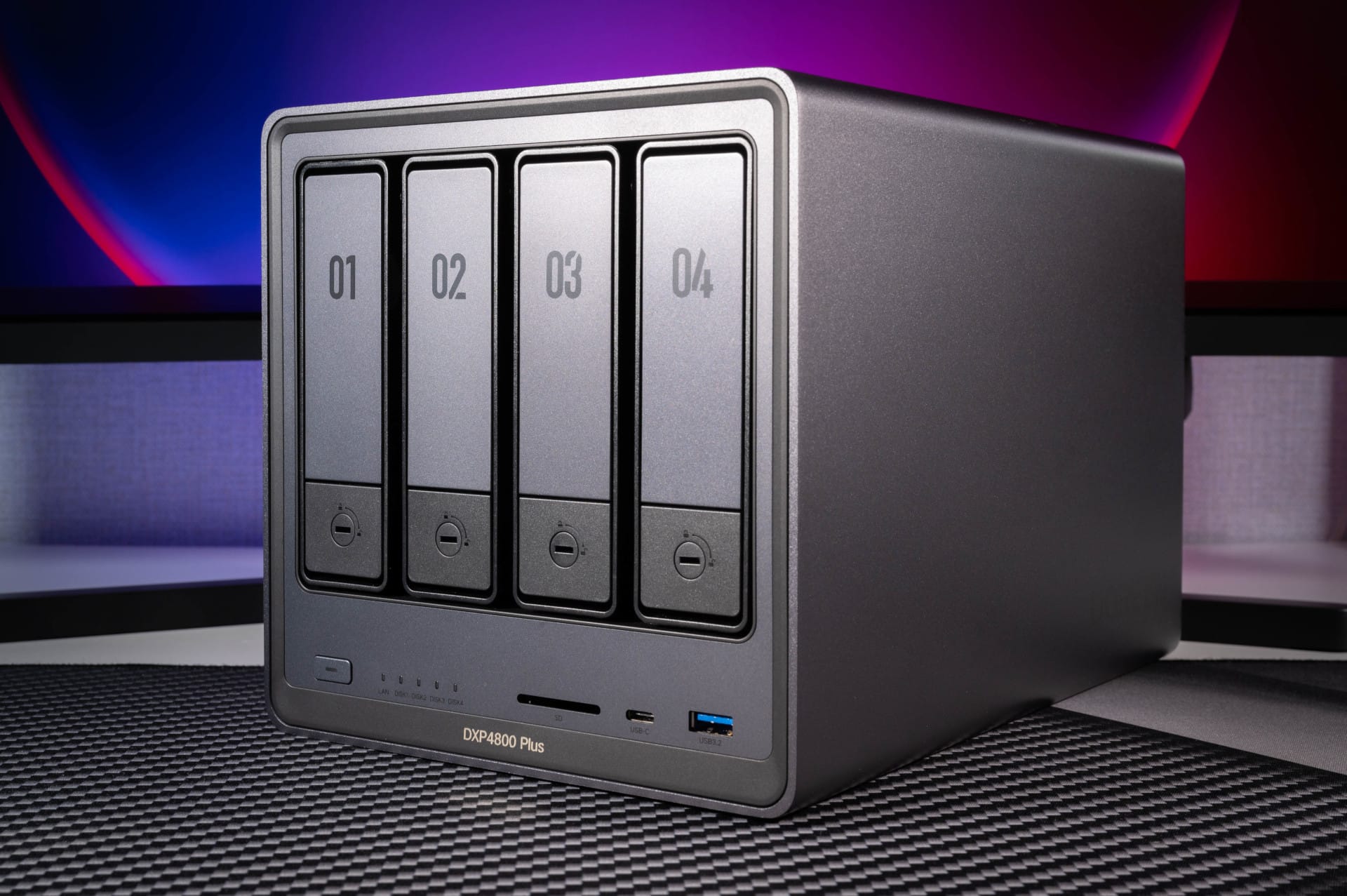
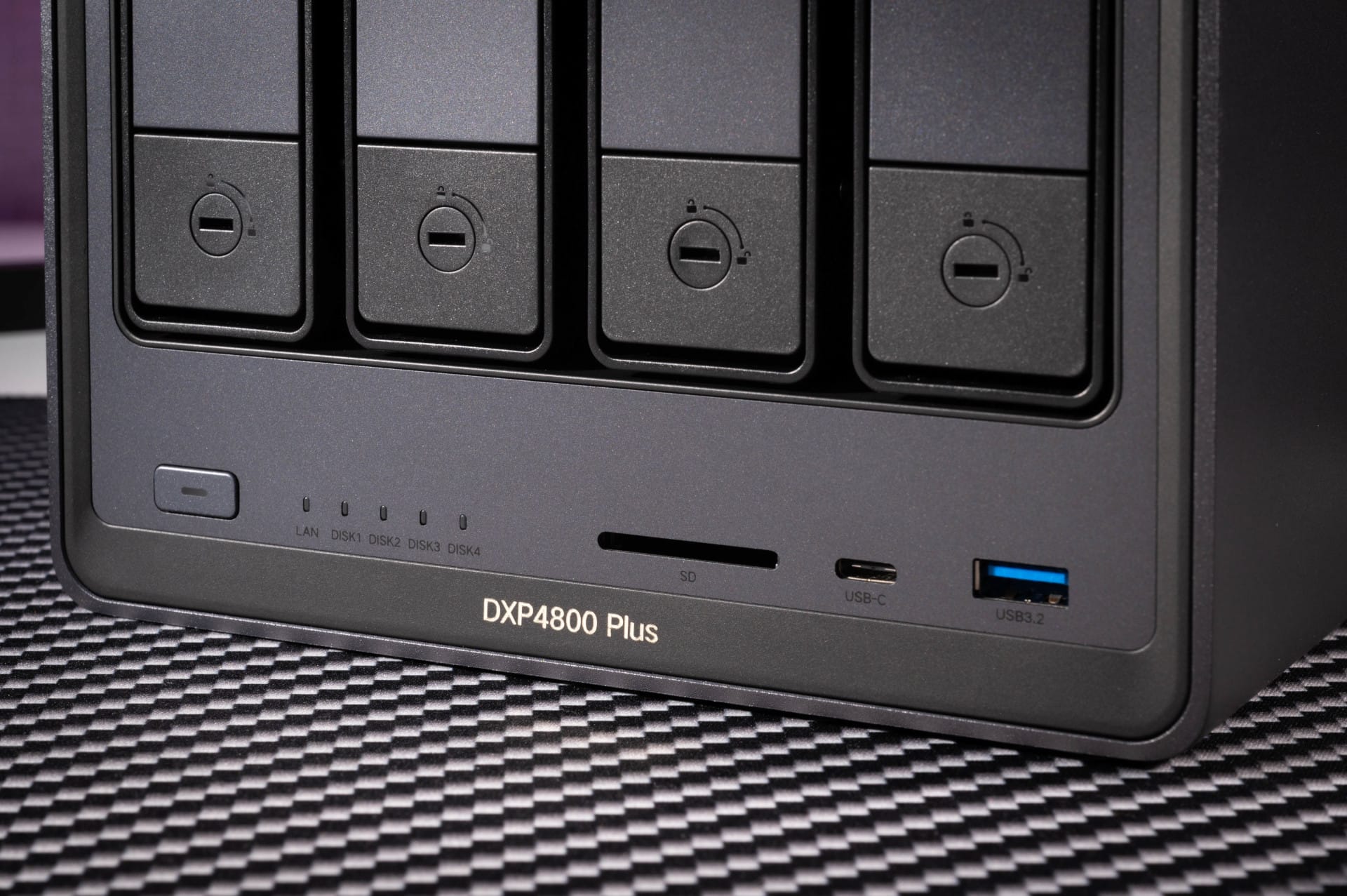
My second copy lives on a UGREEN DXP4800 4-bay NAS connected to my home network. I vibe-coded a script that automatically backs up and keeps an up-to-date mirror of all my recent files and projects from my PC.
The NAS has four 24TB drives, 96TB of raw capacity. But I run it in RAID 5, which changes the math in an important way. In RAID 5, your data is spread across the drives along with "parity" information, think of parity as a mathematical checksum that lets the array reconstruct missing data. One full drive's worth of space is given up to store that parity, so my usable capacity drops from 96TB to about 65TB.
What you get in return is resilience: if any single drive dies, I lose nothing. I pop in a fresh drive, and the NAS uses the parity plus the surviving drives to rebuild the failed drive's contents automatically. It's a fantastic safeguard against a hard drive simply wearing out.
But, and this is the part people get wrong, RAID is not a backup. If my apartment floods, if there's a fire, if lightning takes out the whole unit, RAID 5 does absolutely nothing for me. The entire array is in one box, in one room. Which brings me to the copy that actually helps in a catastrophe.
Copy 3: The offsite "break glass in emergency" archive
My third copy is offsite and in the cloud, but I use the cheapest tier that exists: AWS S3 Glacier Deep Archive. My same backup script bundles files up and uploads them there. The price is the headline, roughly $1 per terabyte per month for long-term storage.
That price comes with real trade-offs you need to understand before you rely on it:
- Retrieval is slow. Getting your data back takes 12 to 48 hours. This is not where you keep files you touch regularly.
- Early deletion penalties. Remove files before 180 days and you'll pay for the difference.
- Bundle small files. Always zip lots of little files into larger archives before uploading, or metadata fees on all those tiny objects will surprise you.
So no, this is a terrible choice if you want day-to-day access to your images. It's a storage method of last resort. But that's exactly what makes it perfect for a true emergency. If my whole apartment flooded, I'd likely have some insurance money coming, and I've organized everything so I don't have to recover my entire library at once, I can pull back only the specific files I actually need. It's the fireproof safe you hope you never have to open.
The bonus copy: my deliverable galleries
Even with those three copies, SSD, NAS, and S3 Glacier, I keep one more line of defense. All of my final, client-edited deliverable galleries live in Adobe Lightroom Cloud storage. That's under 1TB total, but it's a fantastic extra safety net for my highest-quality finished JPGs. If everything else somehow failed, I'd still have the polished images clients actually received.
Why go this far? Because I'm the kind of paranoid photographer who never deletes a client's photos, not even the RAW files, not even a decade later. Realistically, most couples won't come back wanting a reedit ten years on, and I may never touch those frames again. But it matters to me to still have them if they ever ask. Being a certified data hoarder is a personality trait at this point.
A quick note on cost
People assume this level of protection is expensive. It really isn't, if you choose the right tier. The roughly 8TB of data I keep mirrored across my SSD and NAS would run about $50/month on Google Drive. That same data in S3 Glacier Deep Archive costs me around $8/month. For an emergency archive you rarely touch, the savings are enormous. However, my PC and NAS setup have both gotten prohibitively expensive since the recent AI boom. When I put my NAS together the DXP4800 was $467.99 and 24 TB Seagate BarraCuda HDDs were $279.99 each, for a total price of a little under $1,600 for the full build. Now that price has jumped to $749.99 each for the same 24TB drives! I feel like I invested in Bitcoin before it took off or something. Now the same build would be a wopping $3,656.95!
The takeaway
Dual card slots are great. Keep using them. But please don't let them or a laptop plus an SD card be the entire story. Build real separation into your backups: three copies, two kinds of media, one of them somewhere your apartment's plumbing can't reach.
Everything above is subject to change, and in an ideal world you'd keep your data away from cloud providers entirely. But if you need a true break-glass-in-emergency backup like I do, because you're a certified data hoarder who refuses to lose a single frame, S3 Glacier Deep Archive is a genuinely great option. Your future self, standing in an inch of mystery floodwater, will thank you.
No comments yet. You can be the first to leave a note.